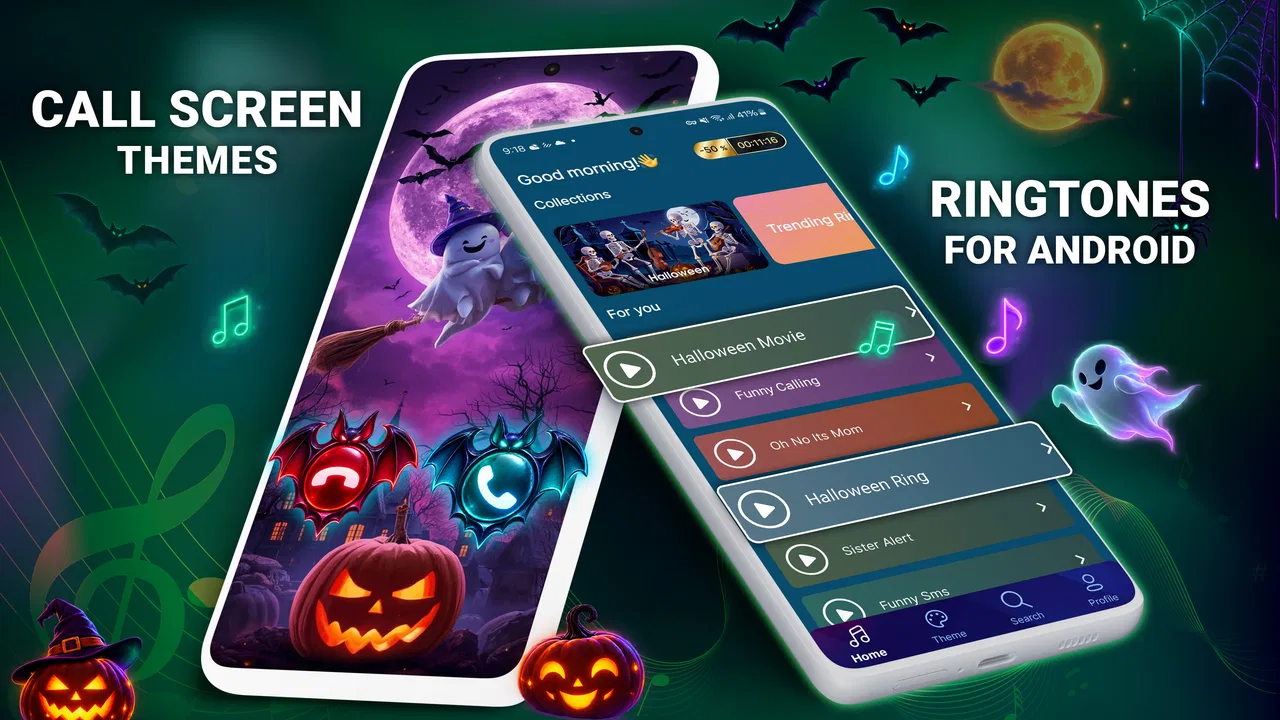
Music ringtones for android
- 4.6
- Rating
- 10.00M
- Installs
- Free
- Price

 Analysis by App-foxy
Choosing a ringtone sounds like a tiny personalization task, but it changes how I notice calls throughout the day. Music ringtones for Android focuses on that single job: helping me replace the default call sound with something more recognizable and more personal. I found it most useful when I wanted a ringtone that stood apart from notification alerts, alarms, and the sounds used by everyone else around me.
The app is free to install and belongs to the personalization category. It comes from Ringtones & Wallpapers, carries an Everyone age rating, and supports Android 7.0 and later. Its current version is 3.7.3. The service has built a substantial audience, with more than ten million installs, a 4.7 average from around 169 thousand ratings, and roughly ten thousand written reviews. Those figures suggest that it is not a niche utility, although popularity alone does not guarantee that its sound selection will suit every listener.
My main reason to recommend it is simple: it reduces the distance between hearing a sound and actually using it as a ringtone. Instead of treating personalization as a settings exercise, it puts music-based choices at the center. That makes it appealing to someone who wants a memorable call sound without spending time editing audio files or searching through complicated phone menus.
You May Also Like

 Blood Strike: 2.5 Anniversary
Blood Strike’s Loadouts Turn Every Drop Into a Tactical Gamble
A close look at Blood Strike’s custom loadouts: how fast access to signature weapons reshapes its battle royale rhythm, rewards preparation, and narrows the gap between fights.

 Pandora - Music & Podcasts
Pandora’s Music Is Easy to Start, but Harder to Recover
Pandora’s strength is its low-effort path from a seed to a station. Its weak spot is how much confidence it asks you to place in connection, setup, and quiet recovery.

 8 Ball Pool
 Is Built on Rivalries, Rematches, and Routine
A close look at the rivalries, rematches, shared routines, and unanswered safety questions that turn a quick pool match into a persistent mobile community.

 Samsung Music
’s Quiet Strength Is Playing What You Already Own
Its reach comes less from spectacle than from dependable access to a personal library. That simplicity is both the app’s strongest retention engine and its ceiling.

 AccuWeather: Weather Radar
AccuWeather Review: A Quick, Clear Forecast for Everyday Decisions
For everyday plans, the best forecast is the one you can understand quickly. AccuWeather makes rain timing, radar, and local conditions easy to act on, with a few trade-offs.

 Hill Climb Racing
Why Hill Climb Racing Still Turns Crashes Into One More Run
A tiny car, a bumpy hill and one more upgrade: Hill Climb Racing keeps resurfacing because its simple chaos makes every near-miss feel personal.
More From Our News Desk



Making a music ringtone the useful part of personalization
The app’s defining capability is the ability to choose music-oriented ringtone sounds for an Android phone. That matters because the standard ringtone list on many devices is designed for broad usability rather than personality. Those built-in choices are often perfectly functional, but they can blend into the background. A recognizable musical sound gives me a stronger cue that the incoming call is mine.
I see the biggest benefit when a phone receives many different alerts. Messages, calendar reminders, social notifications, and calls can all compete for attention. A carefully chosen ringtone creates a clearer separation between an important call and a less urgent alert. The effect is not that the phone becomes more powerful; it is that the sound becomes easier to identify in a busy environment.
That distinction is important. This is not an audio-editing workstation, a full music player, or a replacement for the phone’s entire sound system. Its value comes from making the ringtone decision easier. If I already have a perfectly organized collection of audio files and enjoy managing them manually, the app may not change my routine much. If I want a quick way to make the phone feel less generic, it makes more sense.
I also like the way this kind of tool can support different identities for different situations. A bright, energetic tone may work well for a personal phone, while a calmer sound may be better for work. The practical advantage is not simply having more choices; it is being able to select a sound with the setting in mind. The right ringtone can make the phone feel more deliberate rather than randomly configured.
What the experience feels like in everyday use
In practice, I would approach the app as a short selection process rather than something to browse endlessly. I listen for a sound that is clear enough to recognize, not merely one that is pleasant through the phone speaker. A ringtone that sounds impressive with headphones may lose its character when played from a small handset, so I consider how it will perform in a kitchen, office, car, or crowded room.
Once I find a suitable option, the useful test is to live with it for a while. I pay attention to whether the opening is distinctive, whether the volume feels comfortable, and whether the sound becomes irritating after repeated calls. A ringtone can seem exciting during a quick preview and become tiring after several days. This is one reason I prefer making a small shortlist instead of choosing the first attractive sound.
The app is especially approachable for people who do not want to handle files themselves. Manually setting a custom ringtone can involve locating an audio file, placing it in the right folder, checking whether the phone recognizes it, and then selecting it in system settings. Music ringtones for Android is aimed at shortening that process. For a less technical user, that reduction in friction is more valuable than advanced control.
There is also a useful separation between choosing a ringtone and choosing a song for private listening. A full-length track is not automatically a good notification sound. A ringtone needs to communicate quickly, and it should remain recognizable when interrupted. I recommend judging each option by its first few moments and by the way it repeats, rather than by how enjoyable the entire musical idea might be.
A realistic phone scenario
Imagine someone who keeps the phone on a desk during work and receives occasional calls from family, delivery services, and colleagues. The default ringtone is easy to miss because it sounds similar to nearby devices. With this app, that person can choose a more distinctive music-based tone, then keep message alerts quieter and less attention-grabbing. The result is a practical sound hierarchy: calls are easier to identify, while minor notifications do not demand the same reaction.
Another realistic case is a shared household. If several people use similar Android phones, standard tones can cause confusion. A distinctive ringtone helps identify the correct device before anyone reaches for it. This is a small improvement, but it saves repeated checking, especially when phones are placed together during meals or visits.
I also see value for someone setting up a phone for a family member who is not comfortable navigating Android settings. Rather than explaining folders and system menus, I could help choose a clear sound and make the phone easier to recognize. The Everyone rating also makes the app broadly approachable from an age-classification perspective, though the final choice should still match the listener’s taste and the environment where the phone is used.
Tips that make the choice work better
Choose for recognition before musical taste. A sound with a clear opening is usually more useful than a subtle piece that takes time to develop.
Test the ringtone through the phone speaker, not only with headphones. Small speakers can make bass-heavy or delicate sounds less understandable.
Think about repetition. A tone that is enjoyable once may become distracting if a call continues ringing for a long time.
Keep the ringtone distinct from alarms and messages. If every alert has a similar musical character, personalization loses much of its practical benefit.
Consider the environment before choosing something loud or dramatic. A tone that works in a noisy workshop may feel inappropriate in a quiet office or waiting room.
These steps sound basic, but they address the most common mistake with ringtone apps: selecting a sound for a quick preview instead of for repeated, real-world listening. The app can make discovery easier, but the final judgment still belongs to the person using the phone.
Where it differs from the usual alternatives
The usual alternatives are the ringtone collection already installed on the phone, an audio file selected manually, or a general music service that was never designed for call alerts. The built-in collection is quicker if I am satisfied with standard sounds. Manual file selection offers more control when I already own a specific clip. A music service is better for listening to complete tracks, but it is not necessarily convenient for turning a short sound into a practical ringtone.
This app sits between those options. It is more focused than a general music app and less technical than manual file management. That focus is its main strength, but it also defines its limitation. Someone who wants to trim a precise portion of a personally owned recording, adjust fades, or organize a large private library may prefer a dedicated audio editor or the phone’s own file tools.
The free price makes experimentation easy, but in-app purchases range from $0.99 to $49.99 per item. I would treat that as a reason to pay attention during use rather than assuming every available choice is included at no cost. The app can be useful without turning the purchase system into the center of the experience, but anyone who wants a completely unrestricted library should examine what is available before committing to a paid item.
Trade-offs I noticed before recommending it
The first trade-off is convenience versus control. The app is attractive because it simplifies the route to a custom ringtone. That same simplicity may feel limiting to users who want detailed editing or precise file management. I would recommend it to a person who wants a ready-to-use choice, not to someone whose hobby is building carefully edited sound profiles.
The second trade-off is variety versus decision fatigue. A larger selection can be helpful, but it can also encourage endless browsing. I get better results when I decide what kind of sound I need first: clear and short for work, warm and relaxed for home, or energetic for a phone that is often missed. A purpose makes the selection process faster and prevents the app from becoming another source of distraction.
The third trade-off concerns personal taste. Music-based ringtones are not automatically better than simple tones. In a quiet workplace, a restrained sound may be more appropriate. In a noisy setting, a musical ringtone with a weak opening may be less effective than a plain, sharp alert. The app gives me a way to personalize the phone, but personalization should still serve the situation.
I would also avoid changing the ringtone too frequently. Constant changes can make the phone feel fresh, but they make recognition less reliable. For me, the best approach is to choose one dependable sound, use it long enough to learn it instinctively, and change it only when the environment or personal preference genuinely changes.
Who gets the most from this app
Music ringtones for Android is a strong fit for Android users who find the default ringtone list dull, who regularly confuse their phone with nearby devices, or who do not want to manage audio files manually. It is also useful for people setting up a phone for someone else and looking for a simple way to make incoming calls more noticeable.
The app is less compelling for users who already have a carefully maintained collection of custom audio clips, who want professional editing controls, or who dislike browsing through optional purchases. Those users may be better served by Android’s built-in settings or a dedicated audio tool. The app’s purpose is not to replace every sound-management method; it is to make music-based ringtone selection more approachable.
Because it supports Android 7.0 and later, it fits a broad range of Android phones rather than being limited to only the newest devices. That makes it a practical option for people keeping an older handset in service. Still, the experience can vary with the phone’s own sound settings, speaker quality, and system interface, so I would judge the final result on the actual device where the ringtone will be used.
The developer, Ringtones & Wallpapers, has clearly kept the product centered on personalization rather than adding unrelated tasks. I appreciate that focus. It means I can approach the app with a specific goal: find a ringtone that is recognizable, suitable, and easy to apply. The real advantage is not having a louder phone; it is making the incoming-call sound unmistakably yours.
My recommendation after using it
I recommend Music ringtones for Android to anyone who wants a more personal call sound without wrestling with audio folders or complicated setup. Its free entry point, broad Android compatibility, and strong user response make it an easy app to try when the standard ringtone options no longer feel right. The best results come from choosing with the phone speaker and daily environment in mind, not from collecting as many sounds as possible.
I would skip it if my priority were advanced editing, complete ownership of a private audio library, or a totally purchase-free experience. For those needs, the phone’s own tools or a specialized editor may offer better control. For the everyday user who wants a recognizable music-based ringtone and a simpler route to personalization, though, this app delivers a focused solution. It turns a small setting into a useful improvement: I can hear my phone, identify it more quickly, and make it feel a little more like my own.
FAQs for Music ringtones for android
01How do I download and set a ringtone from the app?
To download and set a ringtone, first browse through the app’s extensive library. Once you find a ringtone you like, tap on the download button. After downloading, go to your device settings to set it as your default ringtone. The app also provides an option to set it directly from within the application.
02Is the app free to use, or are there in-app purchases?
The app is free to download and offers a wide range of ringtones at no cost. However, it does include optional in-app purchases for premium ringtones and an ad-free experience. Users can choose to upgrade for enhanced features, but the basic functionalities are fully accessible without payment.
03Are the ringtones available in high quality?
Yes, the app provides ringtones in high-quality audio formats. This ensures that the sound is crisp and clear when your phone rings. The developers prioritize audio quality to enhance user experience, making it superior to many other free ringtone apps available on the market.
04Does the app require an internet connection to function?
An internet connection is required to browse and download new ringtones initially. However, once a ringtone is downloaded, it can be used offline. This means you can access your favorite ringtones anytime, even without an active internet connection.
05Is the app safe and secure to use on my device?
Yes, the app is safe to install and use. It undergoes regular security checks and updates to ensure it complies with the latest security standards. It does not require unnecessary permissions, and user data is handled with strict privacy protocols, providing peace of mind to its users.
Pros
- Wide variety of ringtone options.
- Easy to navigate user interface.
- Quick download and installation.
- Regular updates with new ringtones.
- Compatible with most Android devices.
Cons
- Contains frequent ads during use.
- Limited customization options.
- Requires internet for full access.
- Some ringtones have low audio quality.
- Premium features are locked behind paywall.

Music ringtones for android
Gallery